 formerly BrandForge
Consent first
The extension asks before it handles any Amazon page data, and you can withdraw that consent at any time.
Sales, revenue, rank and seller data under every result you browse, on all 24 Amazon marketplaces. No tabs to juggle, no ASINs to copy.
Free to install. A MarketBaaz account unlocks the figures.
MarketBaaz is new on the Chrome Web Store, so Chrome may show a “Proceed with caution” notice while it gets to know new publishers. Choose “Continue to install”. The extension runs only on Amazon storefronts.
1See
A card appears below each product with what you would otherwise piece together from five tabs.

2Compare
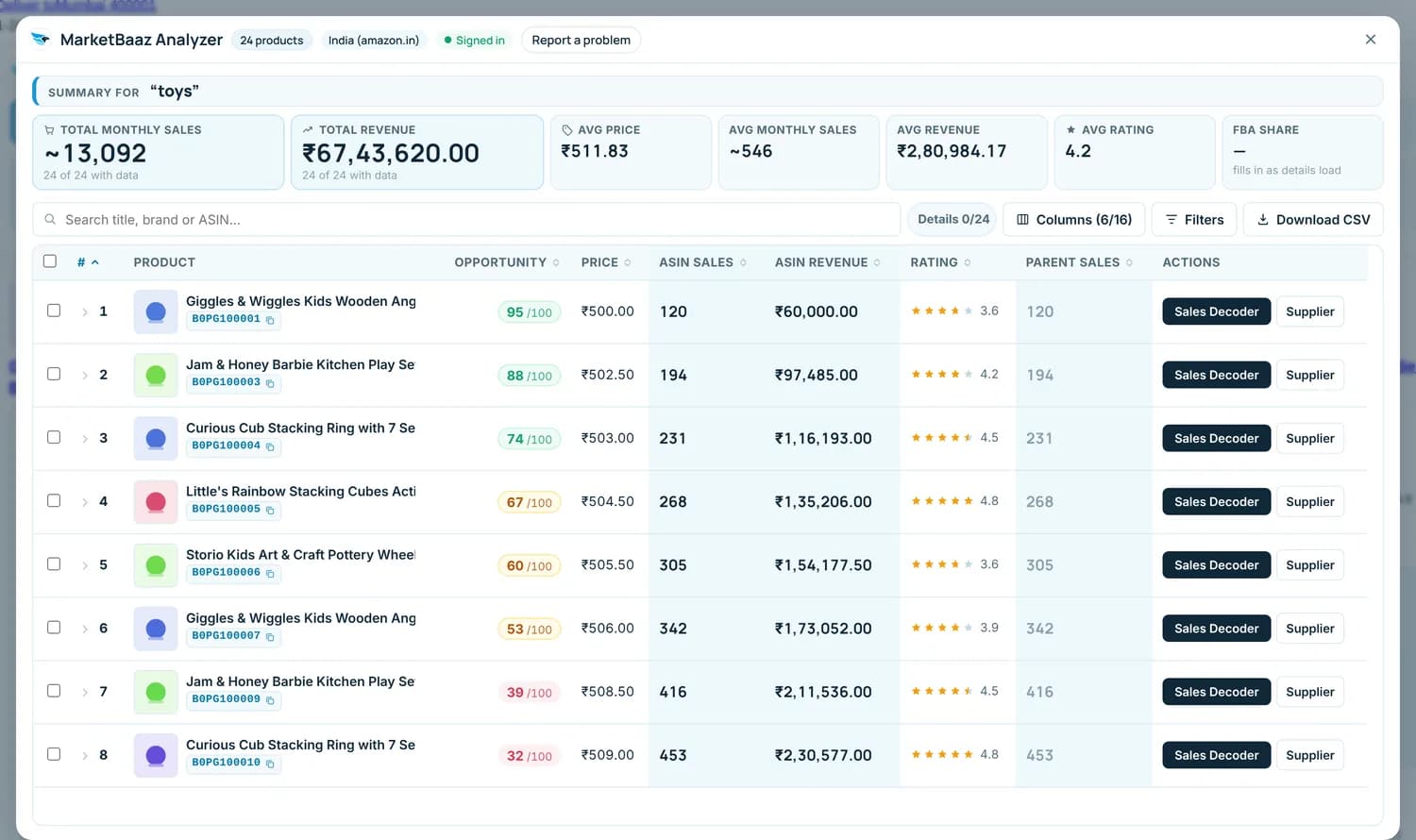
A summary above the results and an analyzer one click away. Sort, filter, tick the products that matter and take them out as a CSV.

3Research
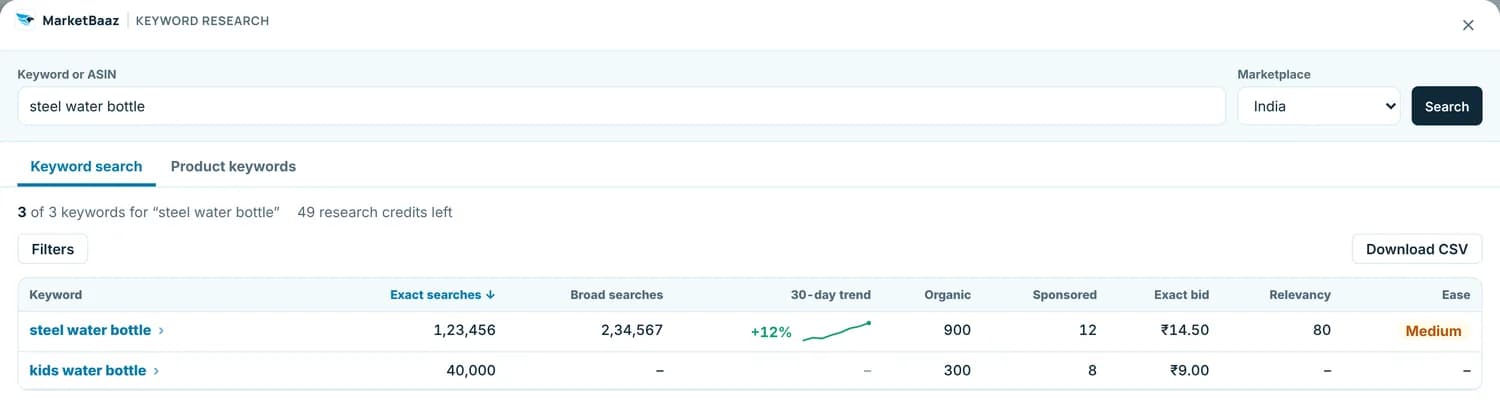
Screens show example data.
24 Amazon marketplaces
Prices are read in each store's own currency, and every product is tracked per marketplace, because the same ASIN is a different product in Mumbai and Munich.
Set up in under a minute
The extension asks before it handles any Amazon page data, and you can withdraw that consent at any time.
It reads the product information on Amazon pages you open. Never your orders, your account, or your browsing history.
Every estimate carries its confidence, and a figure shown once stays put while you are on the page.
Yes. The extension is free to install and every MarketBaaz plan, including the free trial, includes it. You need a MarketBaaz account to see the figures: install it from the Chrome Web Store and connect it to your account in one click. There is no separate login.
All 24 Amazon storefronts, from amazon.com and amazon.in to amazon.de, amazon.co.jp, amazon.ae, and amazon.com.br. Prices are read in each store's own currency. Pages in English are read most reliably; other page languages are supported on a best-effort basis.
MarketBaaz combines what Amazon shows on the page (the "bought in past month" badge, Best Sellers Rank, price, reviews) with its own category sales model, which is trained on real sales data. Every figure carries a confidence level, so a strong estimate and a rough one never look the same.
No. Details load without getting in your way, and products MarketBaaz already holds come straight from MarketBaaz with no page load at all. It pauses when the tab is hidden, and a click on any product's Load details loads that one first.
Only Amazon product information: from the pages you open and, while auto-load is on, from those products' own pages and their colour and size variations. That means ASINs, prices, ranks, ratings, seller, dimensions, how a listing is presented (bullet, image and video counts, badges, rating split, category path), and similar. It never reads your Amazon account, orders, or browsing history, and it asks for your consent before it handles any page data. For products you open, when switched on for your account, it may also read the list of other sellers' offers on that product's Amazon page and send the seller name and code, price, condition, who ships it and the seller's rating to MarketBaaz. When you open the summary of a brand, seller or category, it may also read that brand's, seller's or category's Amazon page and the first page of its products, and send what they show to MarketBaaz.
Install the extension, connect your MarketBaaz account, and every Amazon search becomes a research session.
MarketBaaz is new on the Chrome Web Store, so Chrome may show a “Proceed with caution” notice while it gets to know new publishers. Choose “Continue to install”. The extension runs only on Amazon storefronts.